
How to Change Windows Server Hostname
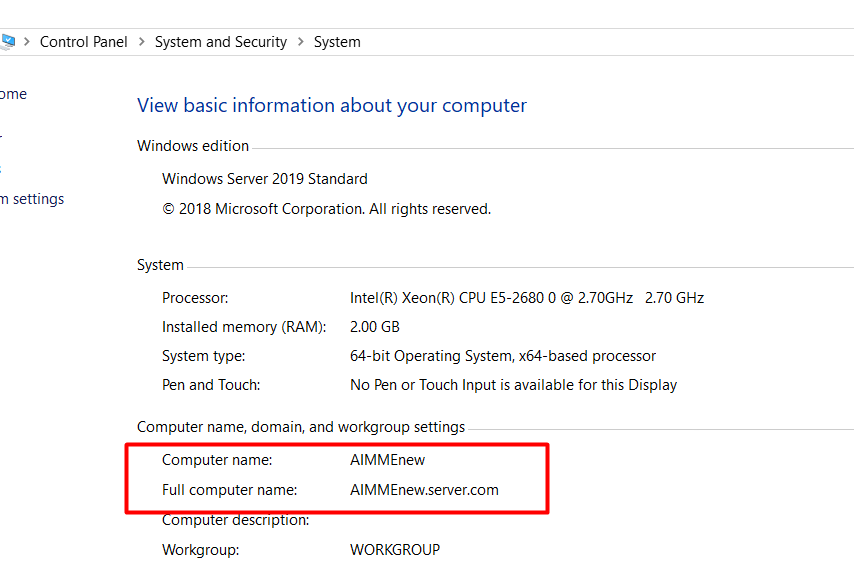
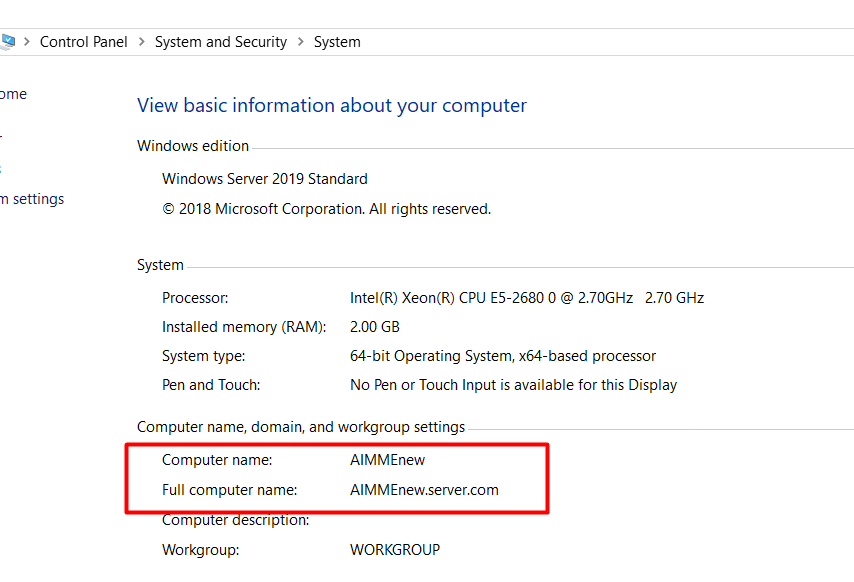
1. Please go to Control Panel -> System and Security -> System, and click Change settings under bComputer name, domain, and workgroup settings
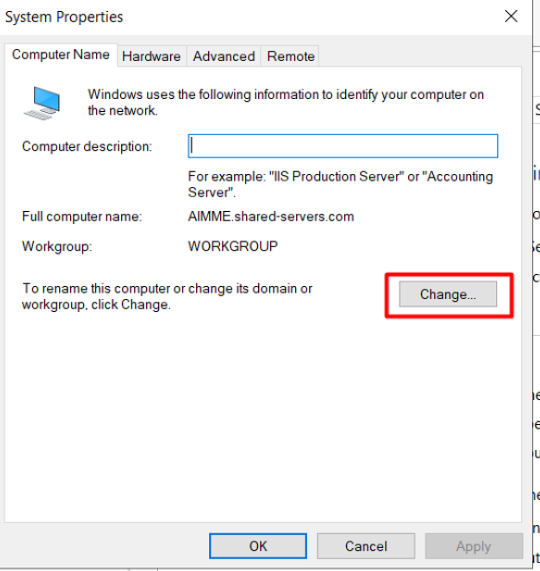
2. Click Change to change the server name
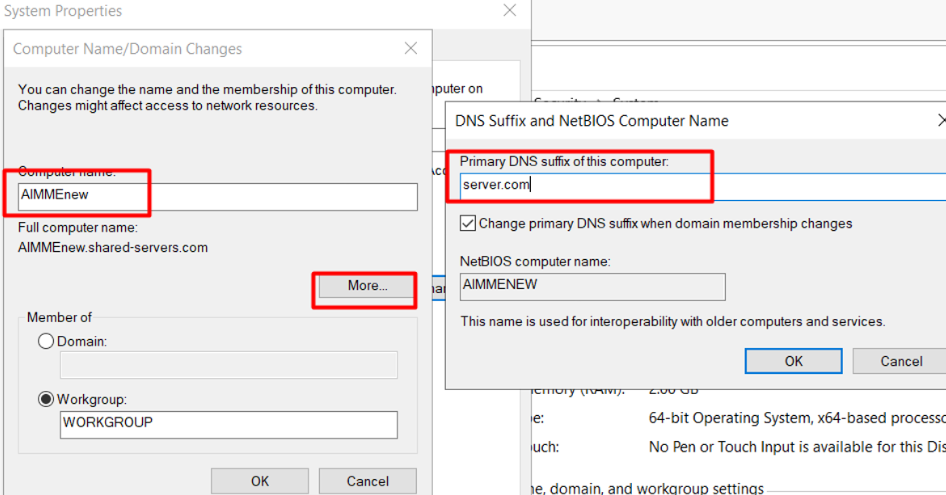
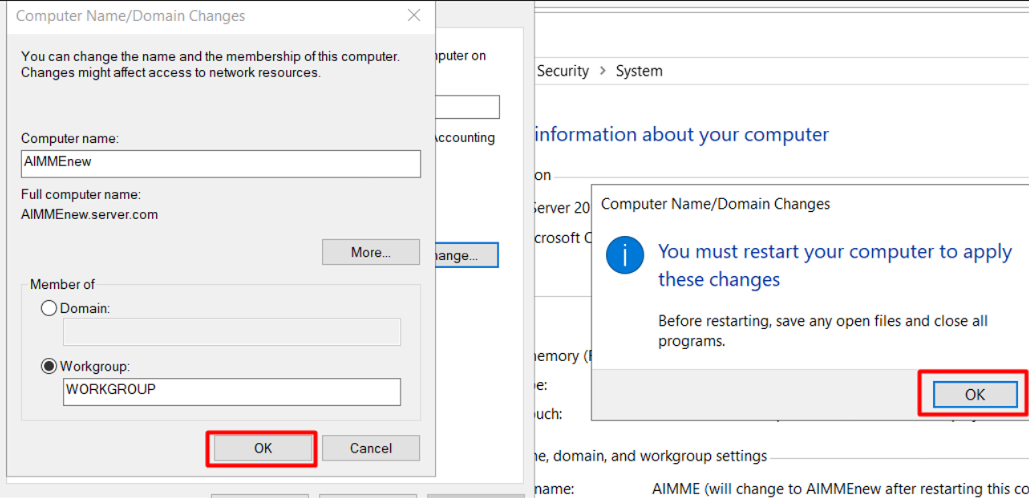
3. Click OK and restart the server
4. Now the server name is changed after server restarted
Did this answer your question?
Thanks, your feedback has been sent.