
How to Register a New Domain
On this page
You can register a new domain either on its own, or as part of ordering a hosting plan.
Registering a domain with a new hosting plan
Step 1: Choose your hosting plan
From Order a Service, select a cPanel hosting or Cloud Server plan.
Step 2: Search for your domain
You'll be asked whether you want to register a new domain, transfer one in, or use a domain you already have pointed elsewhere. Type the name you want and we'll check its availability along with suggestions for other extensions and similar names if it's taken.
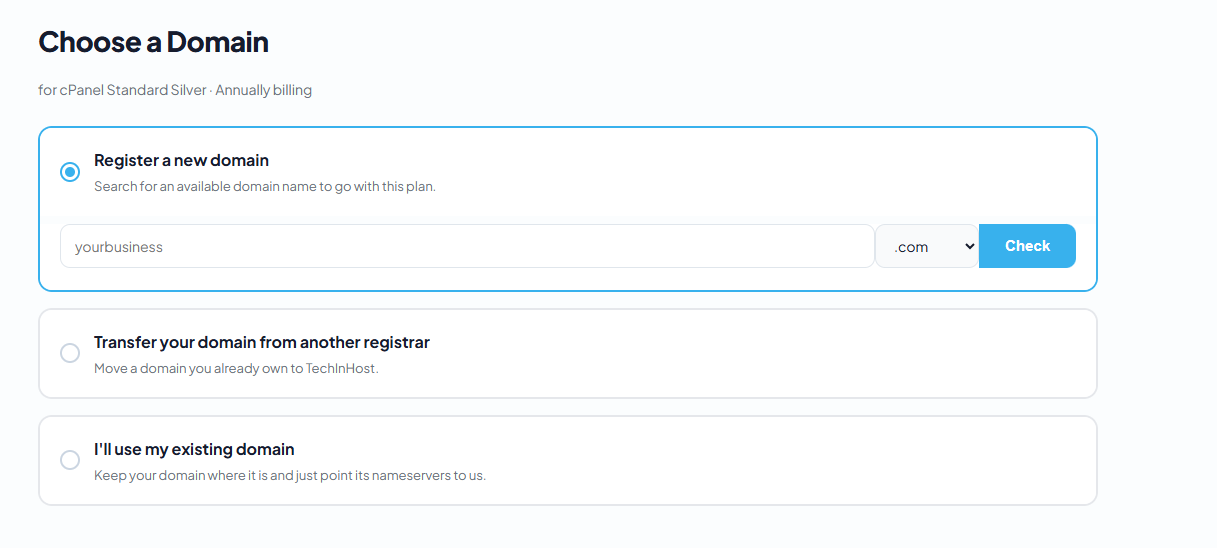
Step 3: Complete checkout
Add the domain to your order and complete checkout as normal.
Registering a domain on its own
Step 1: Go to Search Domains
From the menu, click Search Domains.
Step 2: Search and register
Type the domain name you want. If it's available, click Register This Domain and follow the checkout steps.
Before registering, make sure your billing details are complete in your client area - these are used as the domain's WHOIS contact information.
Did this answer your question?
Thanks, your feedback has been sent.